How Can We Help?
YOLOv5 INAV9 MSP
this Version of Yolov5 INAV9 now supports MSP override this allows for upto 1000 classification up to 30 channels of of override to your INAV MSP

Use Case
- GeoTagging Object identification
- payload respond conditions
- counting number of object classes
Require
- Python
- OpenCV
- matplotlib>=3.3
- numpy>=1.23.5
- opencv-python>=4.6.0
- pillow>=10.3.0
- psutil
- PyYAML>=5.3.1
- requests>=2.32.2
- scipy>=1.4.1
- ultralytics-thop>=2.1.6
- torch>=1.8.0
- torchvision>=0.9.0
- ultralytics>=8.4.118
- pandas>=1.1.4
- seaborn>=0.11.0
- packaging
- setuptools>=70.0.0
Setup
After installing Python (Python 3.9.5) at this time of writing at https://www.python.org/
proceed download this application and
install bash yolov5-install-requirements.bat
after which you run YOLO-SynerCV-detect.bat
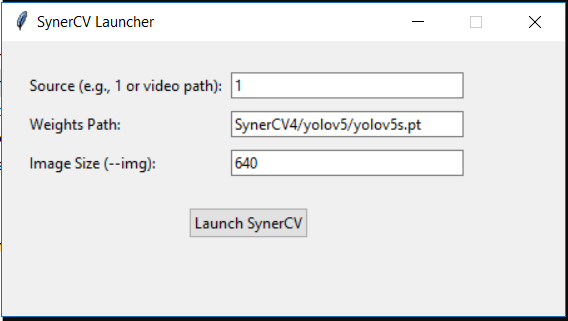
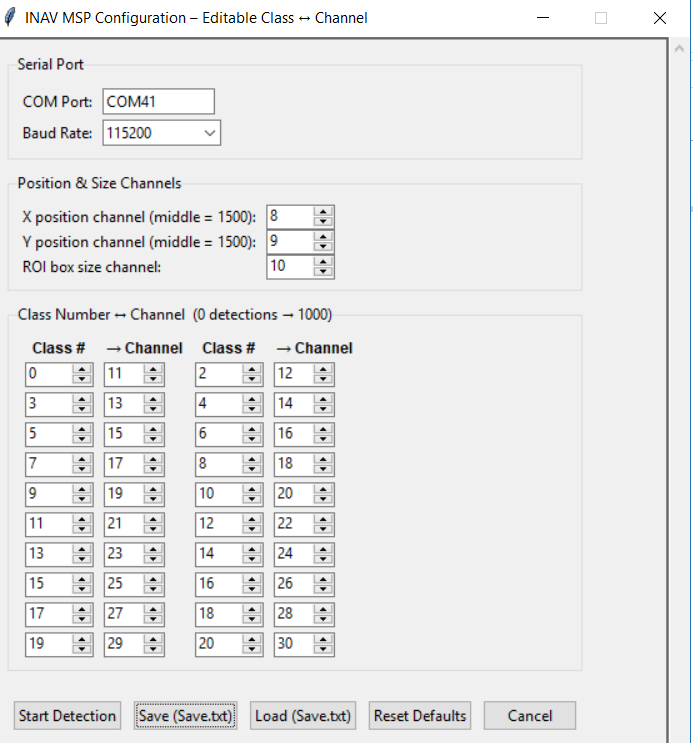
select your COM Port where your drone is assign via bluetooth / Telemetry. ideally if you have 2 telemetry devices you can utilize (SYNERDUINO F405) UART1 & UART6 or (SYNERDUINO H743) UART1 , UART7 and UART8
set baud according to your Telemetry setup (Bluetooth is 115200)
Set how your Yolov5 is to view and observe objects
- X Position is horizontal alignment of object
- Y Position is Vertical alignment of object
- ROI Box size is the size of the object occupied region on screen
Class Number and Channel assignment
here is where you can assign your class number (object assign number in your Yolo database) and the Channel Assign for counting those objects specific to class. Note this can vary depending on your train data (yolov5s.pt)
Classes coco128.yaml
names:
0: person
1: bicycle
2: car
3: motorcycle
4: airplane
5: bus
6: train
7: truck
8: boat
9: traffic light
10: fire hydrant
11: stop sign
12: parking meter
13: bench
14: bird
15: cat
16: dog
17: horse
18: sheep
19: cow
20: elephant
21: bear
22: zebra
23: giraffe
24: backpack
25: umbrella
26: handbag
27: tie
28: suitcase
29: frisbee
30: skis
31: snowboard
32: sports ball
33: kite
34: baseball bat
35: baseball glove
36: skateboard
37: surfboard
38: tennis racket
39: bottle
40: wine glass
41: cup
42: fork
43: knife
44: spoon
45: bowl
46: banana
47: apple
48: sandwich
49: orange
50: broccoli
51: carrot
52: hot dog
53: pizza
54: donut
55: cake
56: chair
57: couch
58: potted plant
59: bed
60: dining table
61: toilet
62: tv
63: laptop
64: mouse
65: remote
66: keyboard
67: cell phone
68: microwave
69: oven
70: toaster
71: sink
72: refrigerator
73: book
74: clock
75: vase
76: scissors
77: teddy bear
78: hair drier
79: toothbrush
Other Train data
Metal Corrosion
1.Road crack 2.Pothole
INAV MSP Override
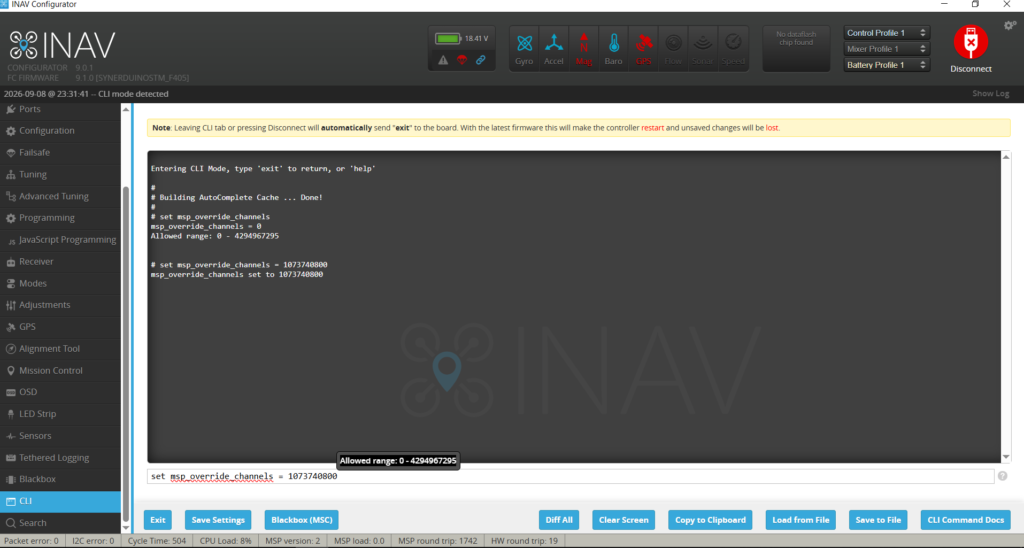
Example : The complete step-by-step breakdown for calculating the exact bitmask for Channels 11 through 30 (all 20 continuous channels) maps to a single configuration value this allows override the MSP data from those channels
1. Shift Channels to 0-Indexed Bits
INAV tracks channels starting from Bit 0. To find the bit position, subtract 1 from the channel number:
Channel 11 > Bit 10
Channel 12 > Bit 11
Channel 13 > Bit 12
…continuing up to…
Channel 30 > Bit 29
2. Complete Mathematical Calculation
The final configuration decimal value is calculated by adding the individual binary exponential powers of two (\(2^{\text{Bit}}\)) for all 20 targeted channels:
Value=2^{10}+2^{11}+2^{12}+2^{13}+2^{14}+2^{15}+2^{16}+2^{17}+2^{18}+2^{19}+2^{20}+2^{21}+2^{22}+2^{23}+2^{24}+2^{25}+2^{26}+2^{27}+2^{28}+2^{29}
Value=1,024+2,048+4,096+8,192+16,384+32,768+65,536+131,072+262,144+524,288+1,048,576+2,097,152+4,194,304+8,388,608+16,777,216+33,554,432+67,108,864+134,217,728+268,435,456+536,870,912
Total=1,073,740,800
3. Hexadecimal Conversion
To convert the final 32-bit binary layout to hexadecimal, separate the status bits into 8 blocks of 4 bits (nibbles) from right to left:
4. Apply to INAV CLI
Input either the decimal notation or hex syntax directly into the INAV Configurator CLI window:
for 11Ch – 30Ch
set msp_override_channels = 1073740800
save
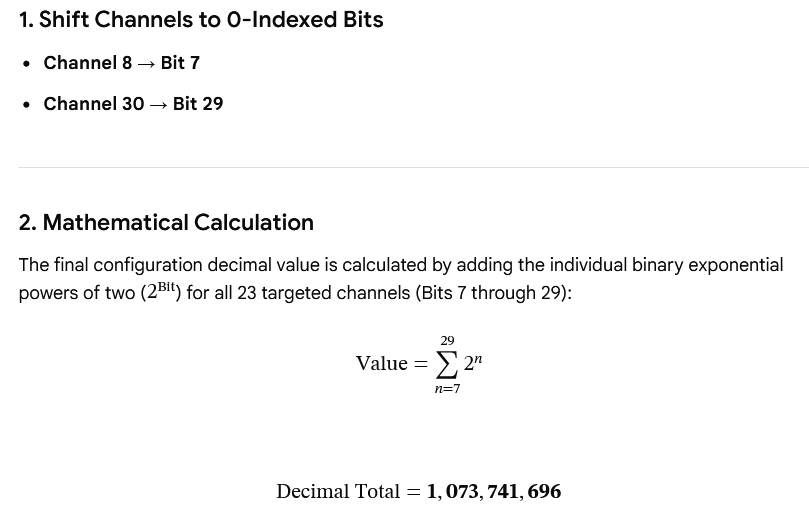
for 8Ch – 30Ch
set msp_override_channels = 1073741696
save
Flight Modes
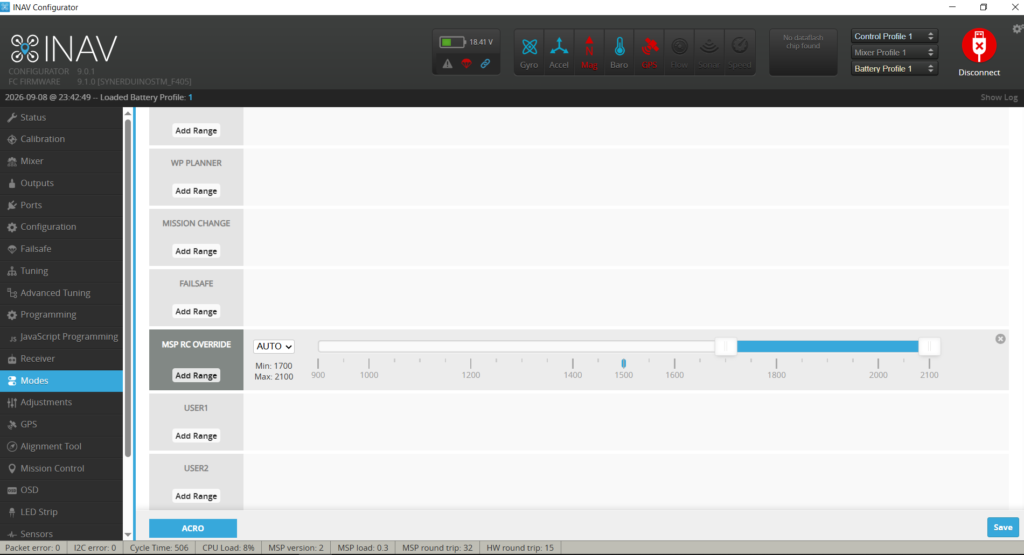
the Reason we started on Ch8 is to reserve Ch5-Ch7 for other flight mode function via physical remote otherwise you can override the code to suite your preference
MSP RC Override allows the hand off control priority from Remote to Computer in reference to the selected channels in the MSP override . all other channels not part of the MSP override is under RC control.
Receiver
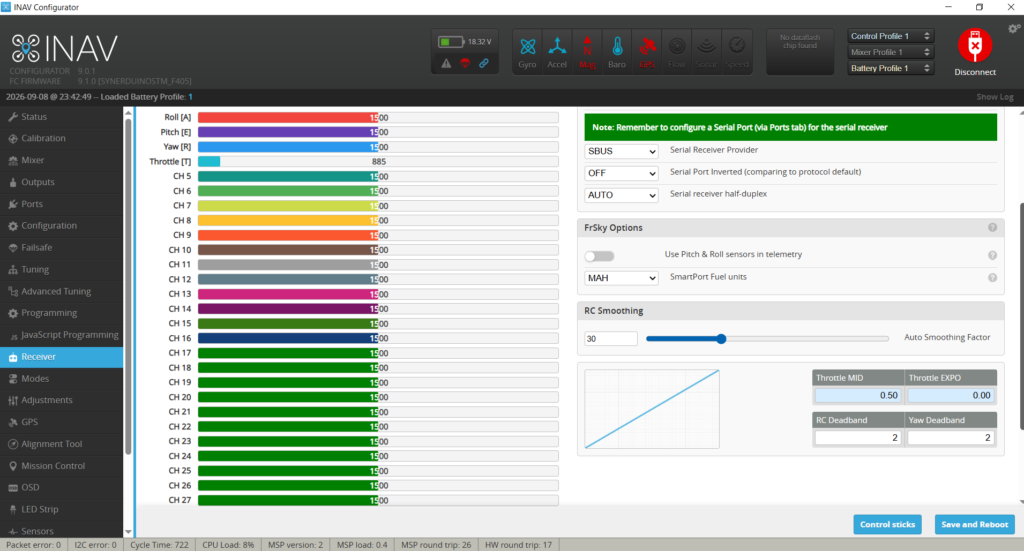
Channel 8 to 30 are override by their respective classes .
example Channel 12 is assign as Class 2 in COCO 128 is ID as Car if there are 5 Cars in Yolov5 Detection the Channel 12 would show 1005 in the output.
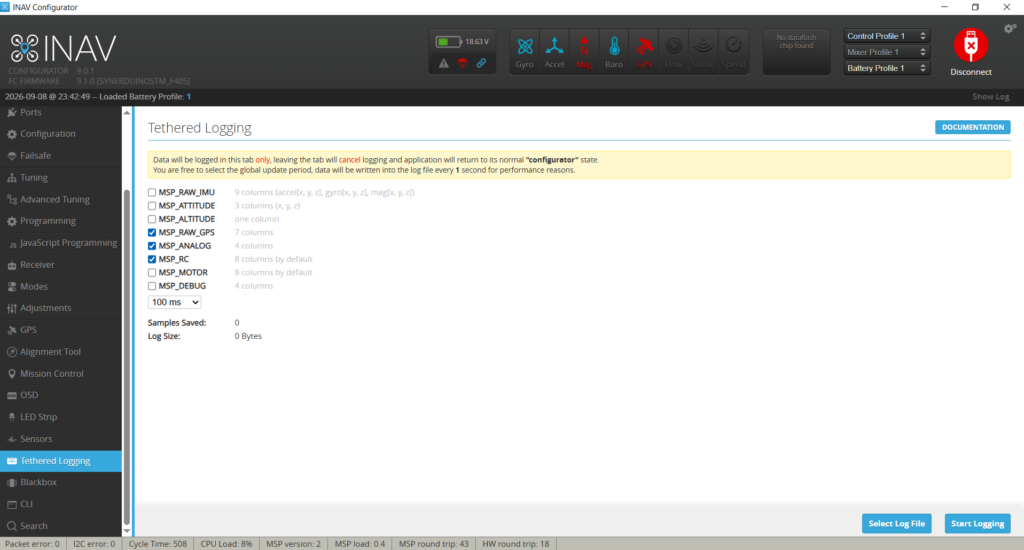
Telemetry Log
Used case is Tethered Logging this allows to Geotag the number of person where they are located base off the Raw GPS (Coordinates), MSP Analog (Analog Sensor data) MSP RC where all the channels are located. this exports as Txt CVBS allowing to generate spread sheets from data.